
New in Viewdora: Photo Comments, Billing, Gallery Expiration, and More
Explore the latest Viewdora features, including photo comment threads, in-app billing, automatic gallery expiration, improved watermark controls, and a smoother mobile experience.

The latest Viewdora update makes it easier to manage your studio, communicate with clients, and control what happens after a gallery is delivered.
Clients can now comment directly on individual photos, billing can be managed without leaving the app, and galleries can close automatically after a period you choose. We have also improved watermark controls, studio and team settings, the mobile experience, and many smaller details throughout Viewdora.
Here’s a full list of what’s new.
Keep photo feedback attached to the image
Clients can now leave a comment directly on an individual photo. Instead of describing an image in a separate email or sending a filename, they can ask a question or share feedback while viewing the photograph itself.
You and your team can reply in the same thread, keeping the entire conversation connected to the right image. Each staff reply shows the team member’s name, so clients always know who responded.
Unread badges make it easy to see which photographs have new activity, while a “New messages” marker helps you return to the point where the latest conversation begins. This creates a clearer feedback process for both the client and the studio, especially when several photographs are being discussed at once.
Manage billing without leaving Viewdora
The new Billing page brings the main parts of your subscription together in one place. You can see your current plan, review the card on file, and open past invoices directly from the app.
When you change plans, Viewdora shows the new price before you confirm. You can upgrade or downgrade as your studio’s needs change, undo a scheduled downgrade, and cancel or resume your plan from the same area.
If you return after canceling, you can reactivate your studio in just a few clicks. Plan tables now show monthly prices first, and links in billing emails take you directly to the page connected to the message.
Set gallery expiration once
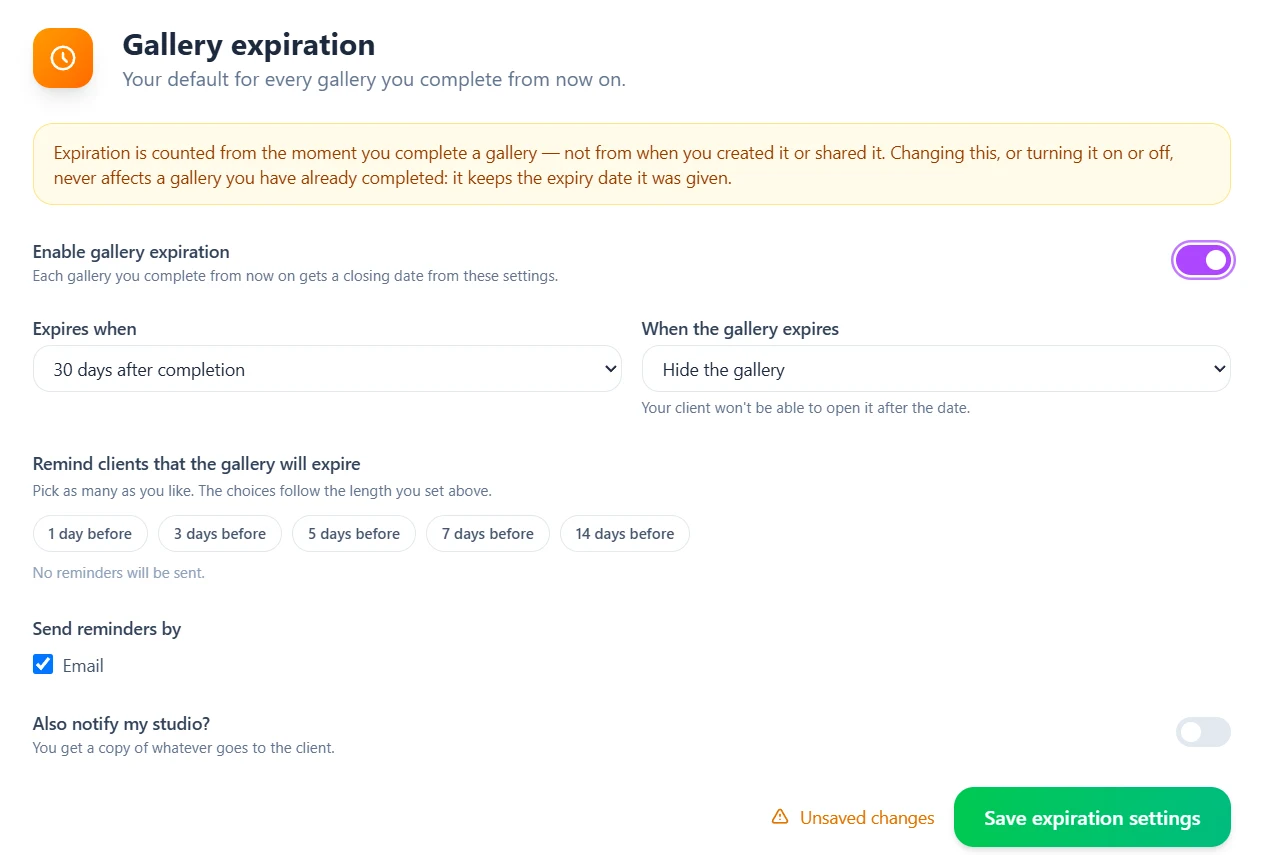
You can now set a default expiration period for your galleries. The countdown begins when you mark a gallery as complete, so the viewing window starts when the photographs are ready for the client.
You can choose to email your client reminders before the gallery closes, and get a copy yourself. When the date arrives, Viewdora does what you picked: hide the gallery, turn off downloads, or leave it open if you only wanted reminders. This gives every delivery a clear timeline without you tracking closing dates or sending reminders by hand.
More dependable watermark controls
New studios begin with watermarking enabled, helping protect preview images from the start. The watermark settings page always reflects the studio’s real setting, and turning the watermark on applies the change immediately.
We have also refreshed the Viewdora logo throughout the app and updated the default watermark to match.
A clearer setup for your studio and team
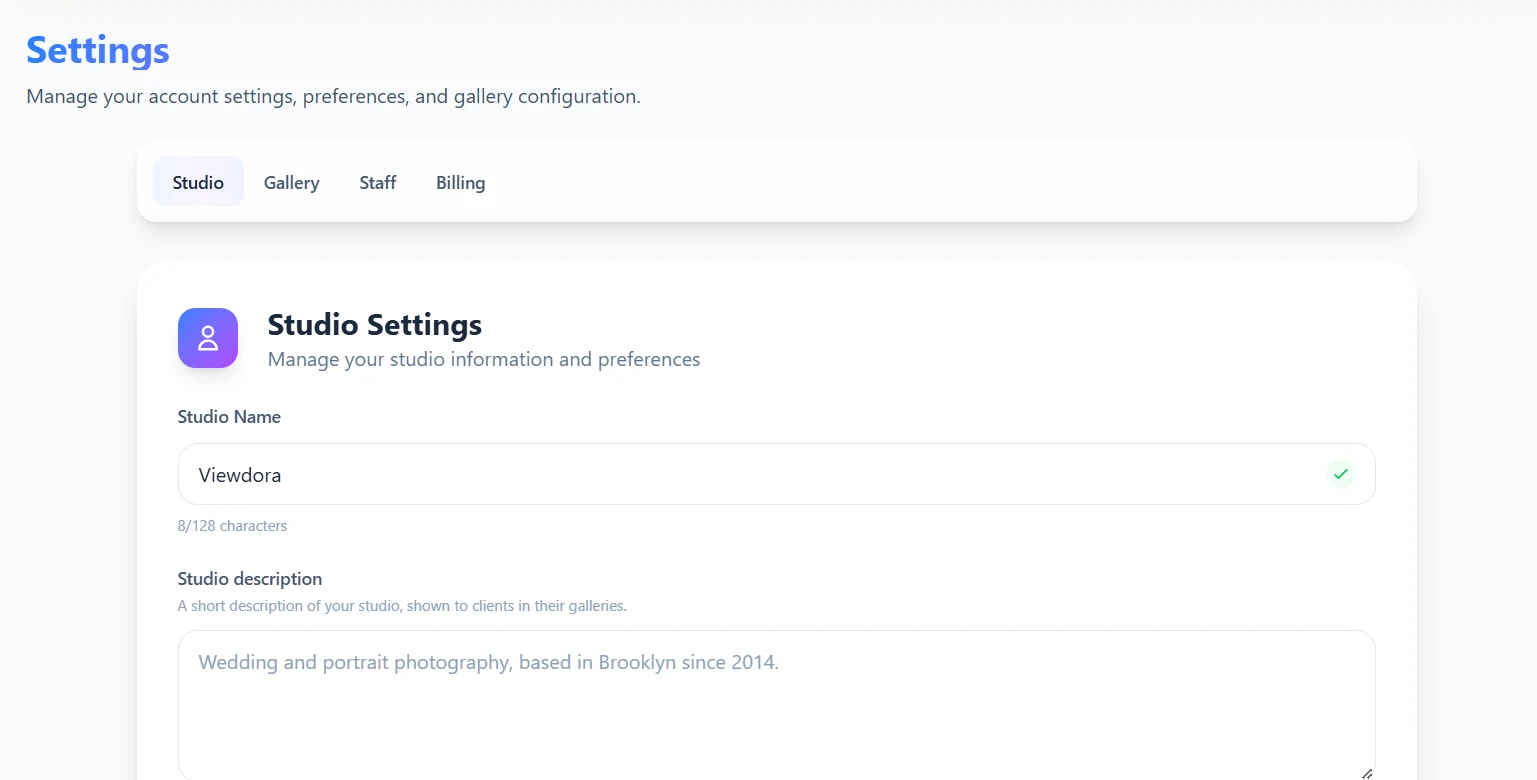
The company area is now called Studio throughout Viewdora, making the language in the app more consistent with how photographers work.
Studio profiles include new fields and autocomplete for social links. Contacts and staff can now include a phone number and time zone, while team member limits match the studio’s plan. Settings pages also have their own direct links and a wider layout, making them easier to reach and use.
A smoother mobile experience
Watermark changes now appear immediately in the mobile app. When you turn watermarking on, the watermarked photograph appears without requiring you to clear the app’s data.
Opening a gallery is cleaner, and using Refresh reloads the photograph you are currently viewing. We have also reduced unexpected sign-outs, helping clients stay connected to their galleries more reliably.
Smaller changes that remove everyday friction
This update also includes several improvements across signup, sharing, gallery delivery, and account communication:
- People with a one-word name can now complete signup.
- Spanish accounts now show the remaining messages in Spanish.
- Clients created from the Share page are added to the gallery immediately.
- When a reopened gallery is delivered again, the client receives a fresh email.
- Trial emails are clearer and include a reminder before the first charge.
- Gallery reminders are now email-only, and the unused text-message option has been removed.
- Viewdora stays available during updates, so an open tab continues working instead of becoming stuck on a loading screen.
- Additional security and privacy improvements have been made across the studio and client apps.
A smoother foundation for every gallery
These features make photo delivery feel as simple as the gallery itself. Client feedback stays connected to the right photograph, billing is easier to manage, gallery timelines are clearer, and everyday studio tasks require fewer extra steps.
Explore the latest changes in your Viewdora studio now. If you are new to Viewdora, start a 14-day free trial with full access to every plan and no credit card required.