
Native screenshot protection
Viewdora uses operating-system controls to help prevent or obscure screenshot attempts on supported mobile devices.
Clients can view and favorite photos in a screenshot-protected gallery. You decide when the final photos are ready to download.
No credit card required. Plans start at $9/month, billed yearly.
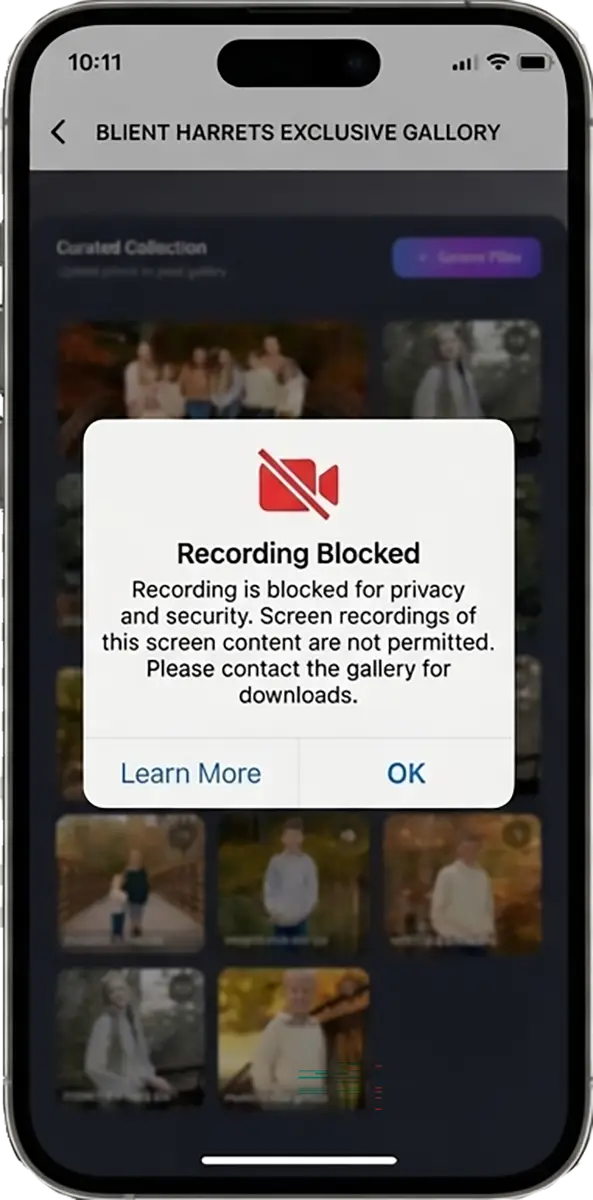
Most clients open their galleries on a mobile device.
Viewdora gives them a dedicated mobile experience built for viewing, choosing, and downloading photos.
Because the protection is built into the app, Viewdora can use operating-system controls that are not available to a standard web gallery to help prevent photo theft.
Your client receives an email invitation to their gallery, then signs in to the Viewdora app with a one-time link sent to their email.
There is no shared password that can be forgotten, copied, or passed to someone else.
Once inside, clients can enjoy the gallery normally while the app helps protect your photos from in-app screenshot and screen-recording attempts.
Create your gallery and send your client a secure email invitation.
Your client views the protected gallery and marks their favorite photos.
See their selections and release the high-resolution or social media-sized photos when you are ready.
They choose their photos. You control when they receive them.
Viewdora uses operating-system controls to help prevent or obscure screenshot attempts on supported mobile devices.
Protected photos are designed to be obscured in screen recordings on supported devices.
One-time email access verifies the client without requiring a gallery password.
Final photos remain unavailable until you approve their release.
Add your branding to gallery previews for another visible layer of protection.
Viewdora can notify you when it detects an in-app screenshot or screen-recording attempt on a supported mobile device.
Clients can still view photos, mark favorites, and download approved photos from one easy-to-use mobile app.
The protection works in the background without turning the gallery into a complicated security process.
Photographers should not have to choose between protecting their work and giving clients a great experience.
Our team used its experience building secure software to create a mobile-first gallery that does both. Viewdora combines native screenshot protection with a simple way for clients to view, choose, and receive their photos.
Try every Viewdora feature free for 14 days.
Create a gallery, invite a client, and test the mobile protection before choosing a plan.
No credit card required. Plans start at $9/month, billed yearly.
A dedicated app allows Viewdora to use operating-system screenshot and screen-recording protections that an ordinary browser gallery cannot provide. It also gives clients one consistent place to view, favorite, and download their photos.
No. Clients sign in with a one-time link sent to their email, so there is no shared gallery password and no account to create.
Yes. Clients can view the gallery and mark their favorites seamlessly while the mobile protection remains active.
You decide. High-resolution and social media-sized downloads become available only after you approve them.
Viewdora can alert you when supported mobile devices report an in-app screenshot or screen-recording attempt. On Android, screenshot alerts require Android 14 or later, and screen-recording alerts require Android 15 or later. On older Android versions, Viewdora still protects the photo, but the device cannot report the attempt to the photographer.
The 14-day trial includes every Viewdora feature and is available for all plans. No credit card is required.